 Open full size
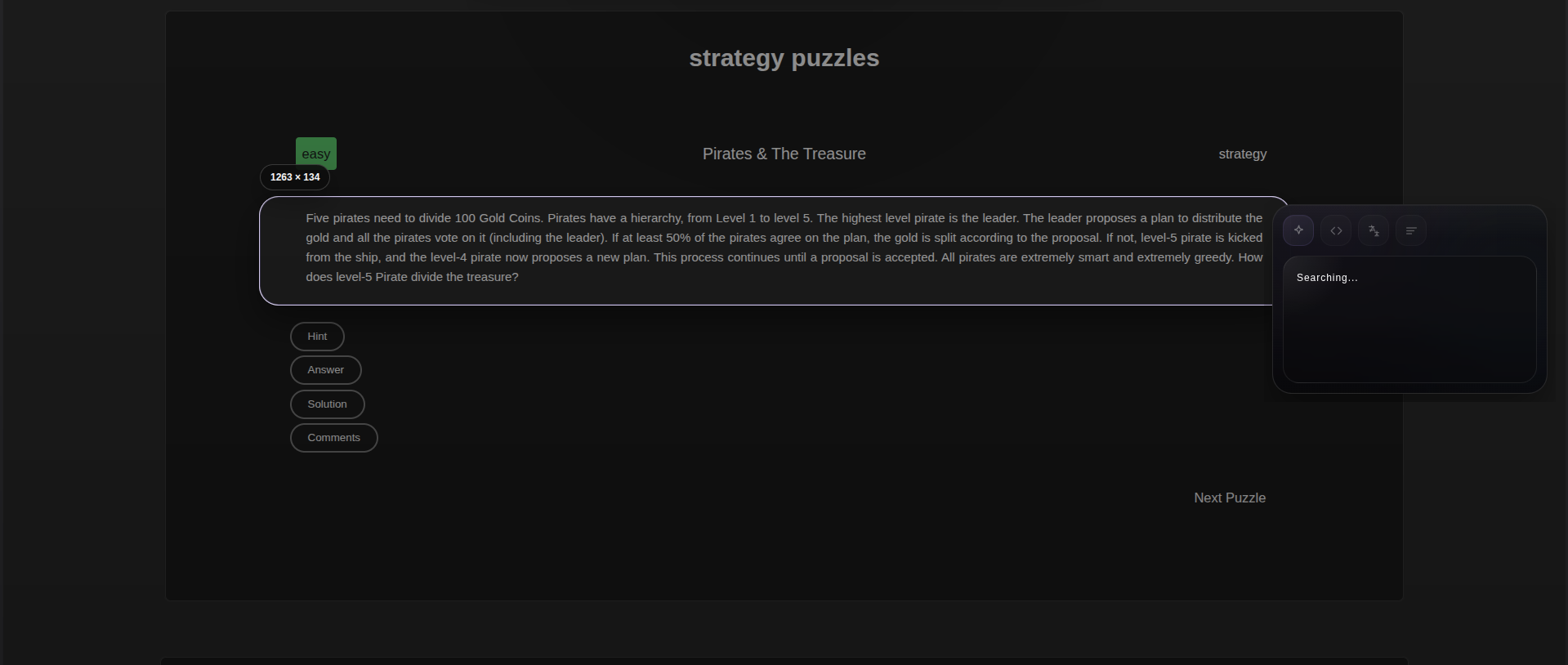
Capture anything visible
Select a region and Xerolas starts working beside your screen.
Xerolas brings AI-powered screen intelligence to your entire desktop.
Select any region on your screen from any app, any window, anywhere, and get an instant answer with your own API key or a Xerolas Cloud key.
Free public downloads · BYOK or Xerolas Cloud setup · Works on Windows, macOS & Linux
Product preview
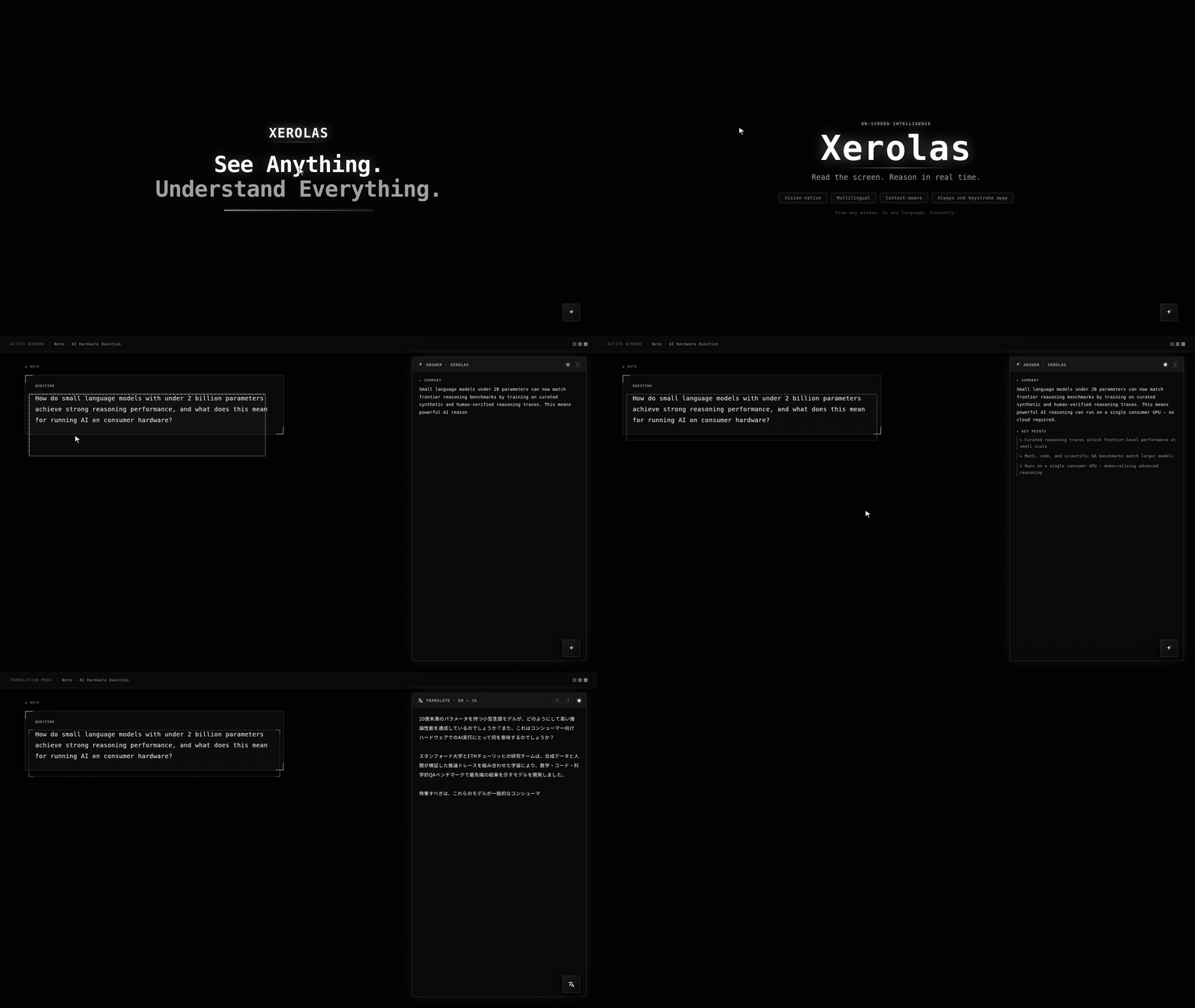
These are real Xerolas captures: select a screen region, get an answer beside it, then ask follow-up questions or switch modes on the same capture.
Open full sizeSelect a region and Xerolas starts working beside your screen.
 Open full size
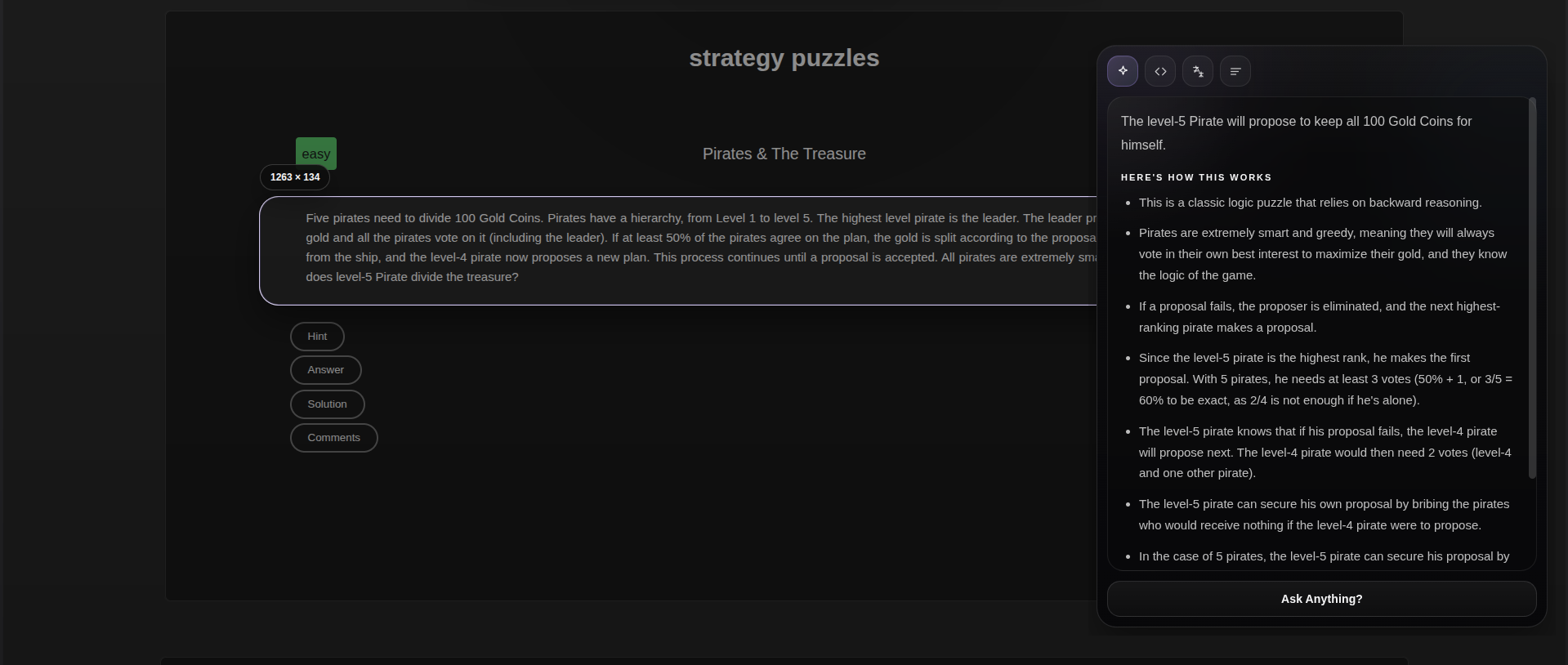
Keep the original context open while the result streams in.
 Open full size
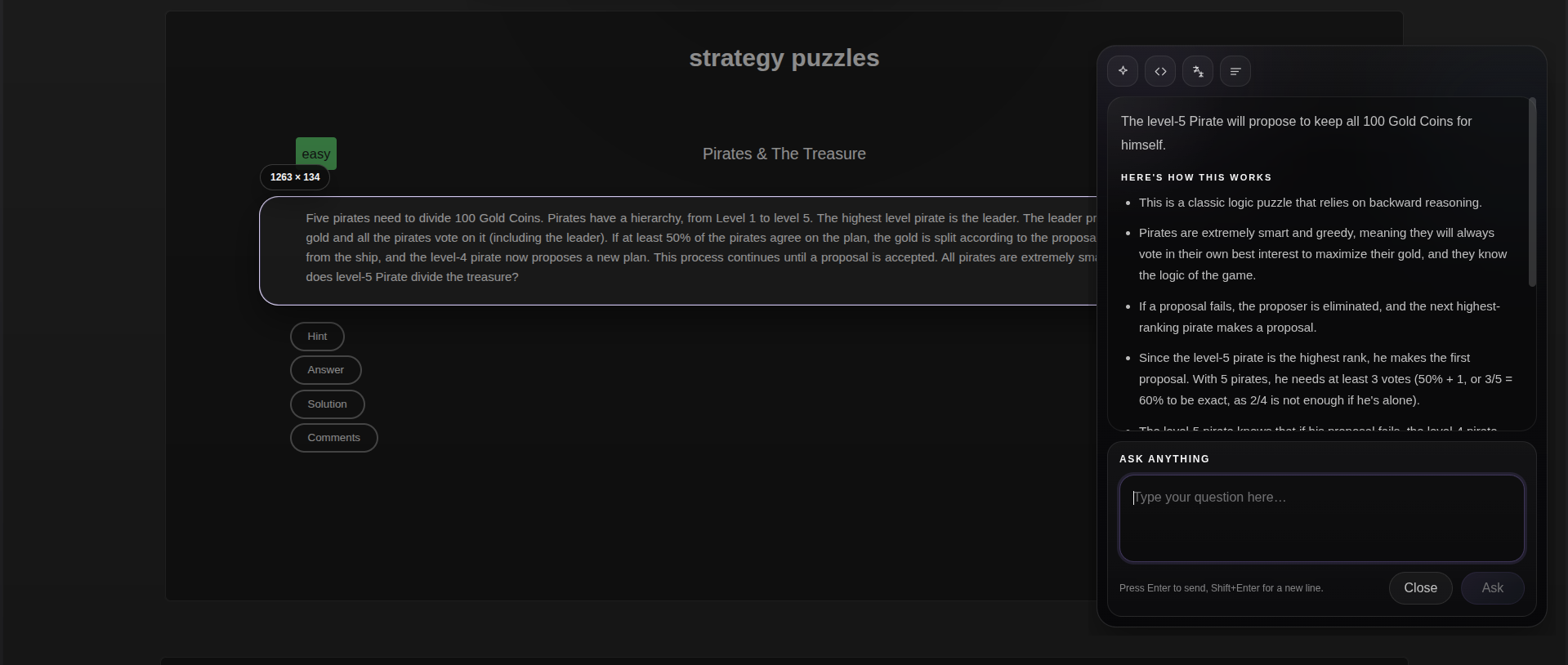
Turn the bottom prompt into an inline question box.
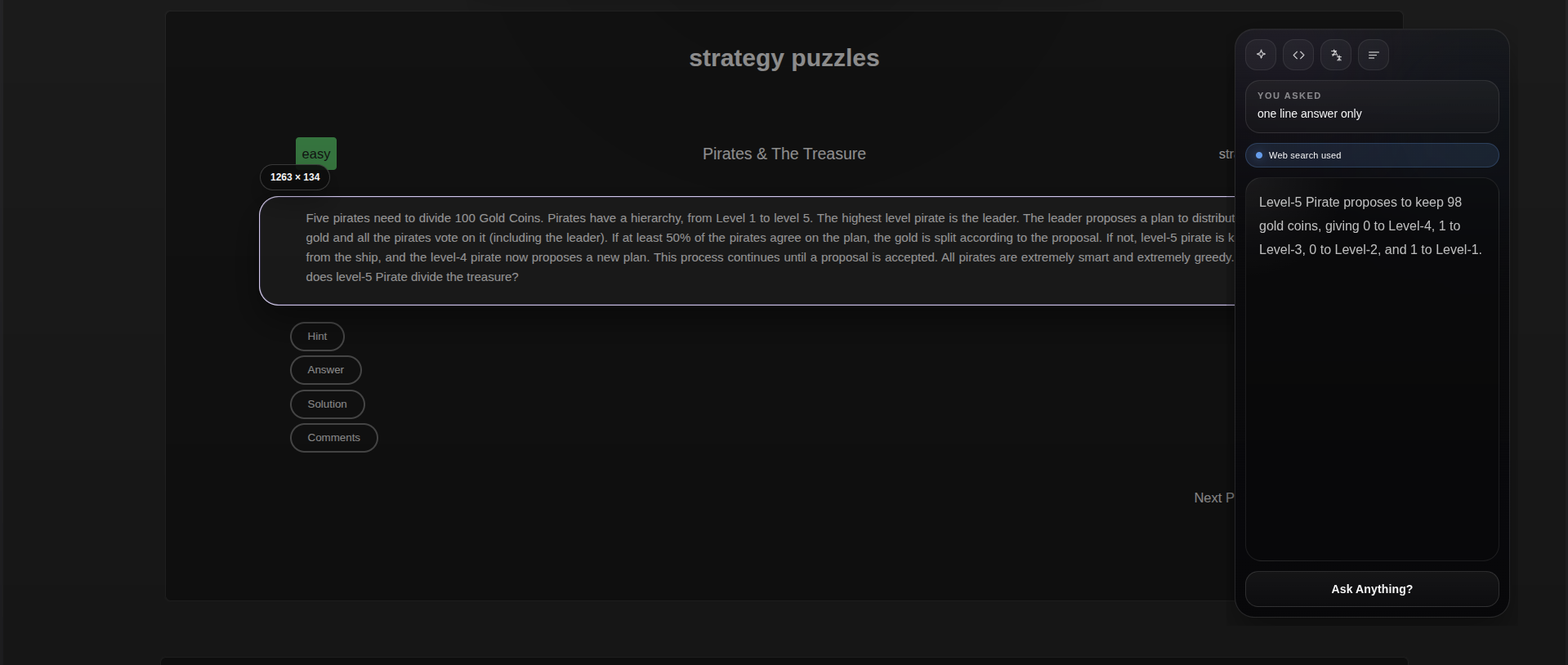 Open full size
Ask for a short answer, summary, explanation, or exact format.
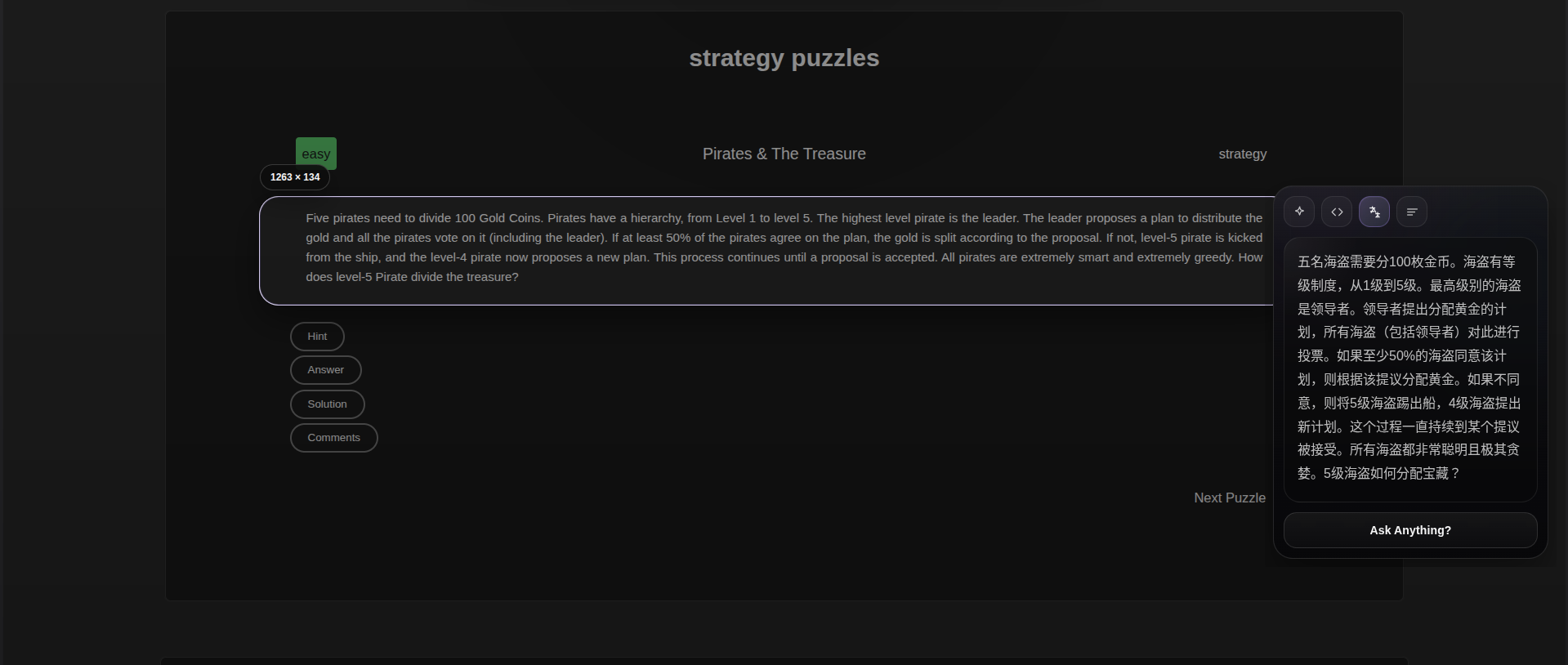 Open full size
Use the same capture flow for translation and text-heavy screens.
Download Xerolas
Install Xerolas on Windows, macOS, or Linux and start using desktop-wide AI screen intelligence right away. On Ubuntu, use the App Center / Snap Store install for the cleanest experience.
Setup
Xerolas is open source and safe to inspect. You can bring your own provider key, or use an optional Xerolas Cloud platform key for a simpler managed path.
Add your own Anthropic, OpenAI, Gemini, or OpenRouter key in Settings. Xerolas stores it locally with OS encryption when available and sends captures directly to that provider.
Paste an opaque xlo_live_... key issued by Xerolas. The Cloud gateway checks quota, rate limits usage, and uses managed AI providers behind the scenes.
How it works
Capture, understand, and move on without switching apps or uploading files by hand.
Hit Ctrl+Shift+Space from anywhere on your desktop, whether you are in your editor, browser, design tool, terminal, or a document.
A full-screen overlay appears so you can drag across any area of any window: code, an error message, a chart, a design, or a block of text.
Xerolas analyzes the selected region and can add live web context when the answer needs current information. When web search is used, source links appear in the result panel.
The result panel appears beside the selected region so you can read, copy, dismiss, or rerun the same capture through a different mode without repeating the screenshot.
Works System-Wide
Xerolas works across every app and window on your desktop: VS Code, Figma, Chrome, Excel, Slack, terminals, PDFs, and more.
BYOK Or Cloud
Add your own provider key, or paste a Xerolas Cloud platform key issued from Xerolas. Either way, the desktop app never ships a public provider secret.
Prompt Modes
Describe what is visible, extract text, explain code, translate, summarize, or answer the most useful question implied by what you selected.
Use cases
From debugging and OCR to translation and visual explanation, Xerolas is built for whatever is already on your screen.
See an unfamiliar function, a stack trace, or confusing terminal output? Select it and ask Xerolas to explain it without leaving your editor.
Capture any interface, layout, or component and get an AI breakdown of what it is, how it works, or how to recreate it.
Reading a dense PDF, a chart, or a foreign-language article? Select the section and let Xerolas explain, summarize, or translate it.
See an unfamiliar function, a stack trace, or confusing terminal output? Select it and ask Xerolas to explain it without leaving your editor.
Capture any interface, layout, or component and get an AI breakdown of what it is, how it works, or how to recreate it.
Reading a dense PDF, a chart, or a foreign-language article? Select the section and let Xerolas explain, summarize, or translate it.
See an unfamiliar function, a stack trace, or confusing terminal output? Select it and ask Xerolas to explain it without leaving your editor.
Capture any interface, layout, or component and get an AI breakdown of what it is, how it works, or how to recreate it.
Reading a dense PDF, a chart, or a foreign-language article? Select the section and let Xerolas explain, summarize, or translate it.
Capture text from anywhere on screen, even from non-selectable UI or images, and turn it into clean copy you can reuse.
See something confusing on your screen and want to know what it is? Just select it and ask Xerolas.
Capture text from anywhere on screen, even from non-selectable UI or images, and turn it into clean copy you can reuse.
See something confusing on your screen and want to know what it is? Just select it and ask Xerolas.
Capture text from anywhere on screen, even from non-selectable UI or images, and turn it into clean copy you can reuse.
See something confusing on your screen and want to know what it is? Just select it and ask Xerolas.
Features
Xerolas stays focused on one job: helping you understand anything visible on your screen as quickly as possible.
Use Xerolas across every app and window on your desktop, not just inside one browser tab.
Press Ctrl+Shift+Space from anywhere to start a capture without hunting for the app window.
The selected region is captured natively and sent directly for analysis without a manual file picker.
Describe, extract text, explain code, translate, summarize, or answer the most useful question from the selected region.
Your last 10 captures and results stay available locally so you can re-open them without repeating the capture.
Xerolas checks for updates in the background so the installed desktop app stays current without manual downloads each time.
Comparison
Browser lens tools are useful inside one tab. Xerolas brings that same kind of screen understanding to the whole desktop.
FAQ
Yes. Xerolas is free to download and install through the current public release flow. Your AI provider may have its own usage limits or billing rules.
Yes. Use either your own provider API key or a Xerolas Cloud platform key. Add it once in Settings, then capture from anywhere on your desktop.
It is an opaque xlo_live_... platform key issued by Xerolas. It unlocks the managed Xerolas Cloud path, where quota and abuse controls run on the gateway and managed AI providers work behind the scenes.
No. BYOK keys stay encrypted locally when your OS supports it, and Xerolas Cloud provider secrets stay server-side. The app only stores the platform key you paste into Settings.
Only the region you explicitly select is sent for analysis. Xerolas is not continuously monitoring your desktop, and your local history stays on your device.
Xerolas uses cloud AI vision models for screenshot understanding and answer generation.
Yes. Xerolas is built for Windows, macOS, and Linux through the current desktop release pipeline.
Xerolas checks for updates in the background and uses the bundled update feed from the public GitHub release channel.
Yes, when you explicitly enable it in Settings and the selected provider supports it. When search is used, Xerolas shows source links in the result panel.
Yes. Xerolas includes quick actions like AI Overview, Extract text, Explain code, Translate, Summarize, and Ask question so you can steer what happens to each capture.
No. Xerolas captures the selected screen region natively and sends it directly for analysis, so there is no manual file upload step.
Download now
The public installers are live, the desktop app is ready for Windows, macOS, and Linux, and setup works with your own API key or a Xerolas Cloud platform key.